
For Real Estate Media Teams
Keep track of every order, even the ones you're not on
A bird's-eye view of every order, every service and what stage it's at, created from the booking. If you had to text someone to find out, this is what Tonomo is for.
.svg)
Free demo. We set it up on your own orders.

What changes
Keep track without keeping it in your head
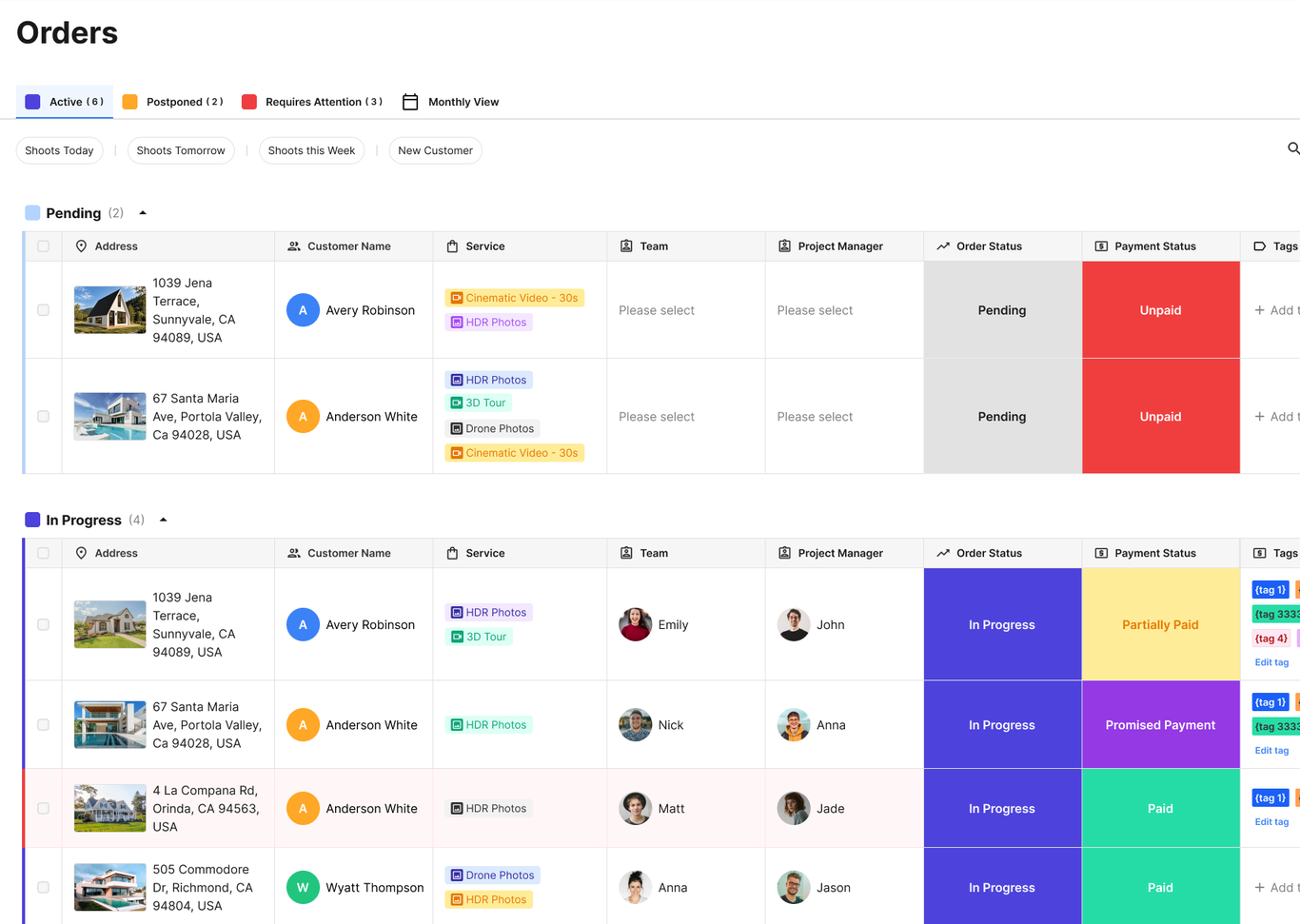
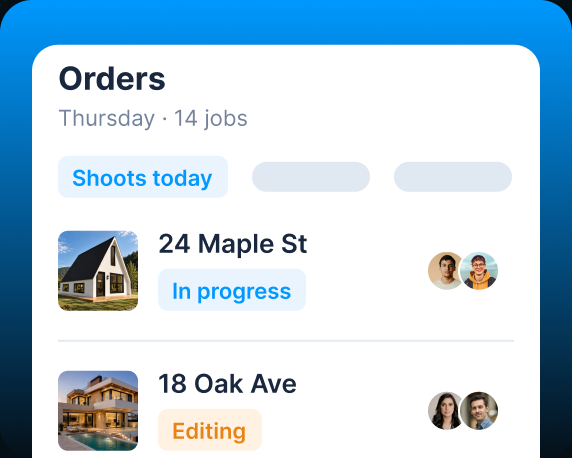
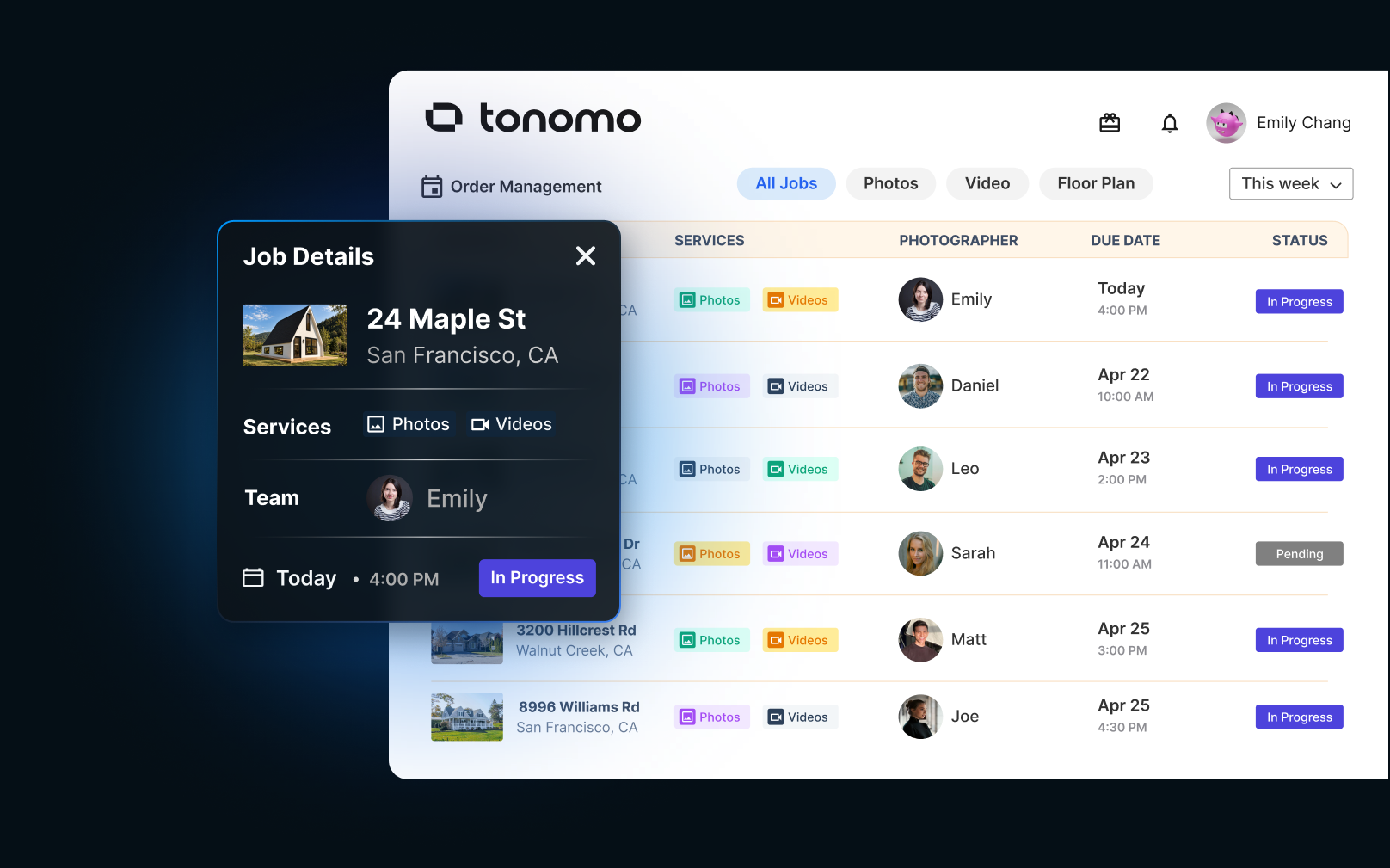
Every job
Being the only one who knows where every job stands
Anyone on the team can look it up.
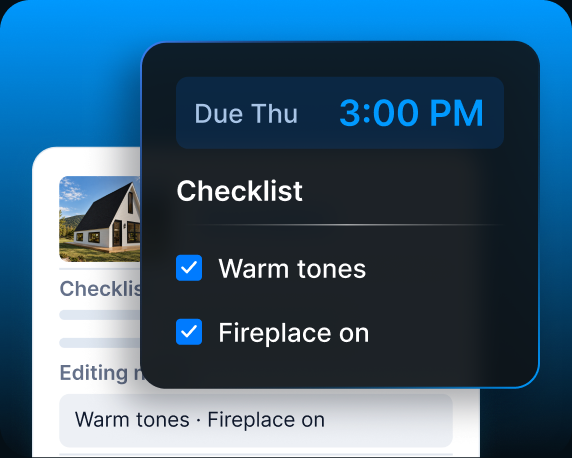
Every hire
Training every hire on what’s in your head
The order holds checklists, editing instructions and due dates.
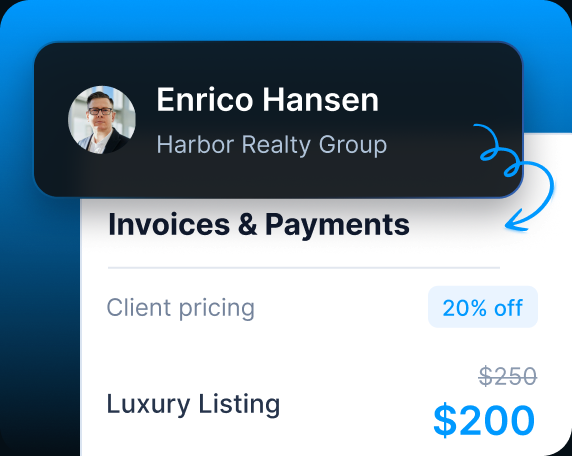
Every client
Remembering every agent's rate and quirks
Each customer’s pricing and preferences come with every order.
Every payout
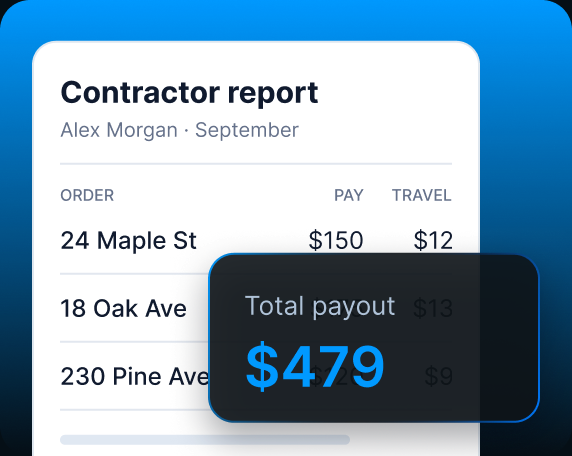
A Google Sheet for who gets paid what
A payout and mileage report for photographers and editors.
Your new hire can't read your mind
You hired so you'd stop doing everything. Then the questions started: which house, which services, who's editing, when is it due. In Tonomo the job answers them, because the booking filled it in.
Keep the tools that work. Drop the costly workarounds
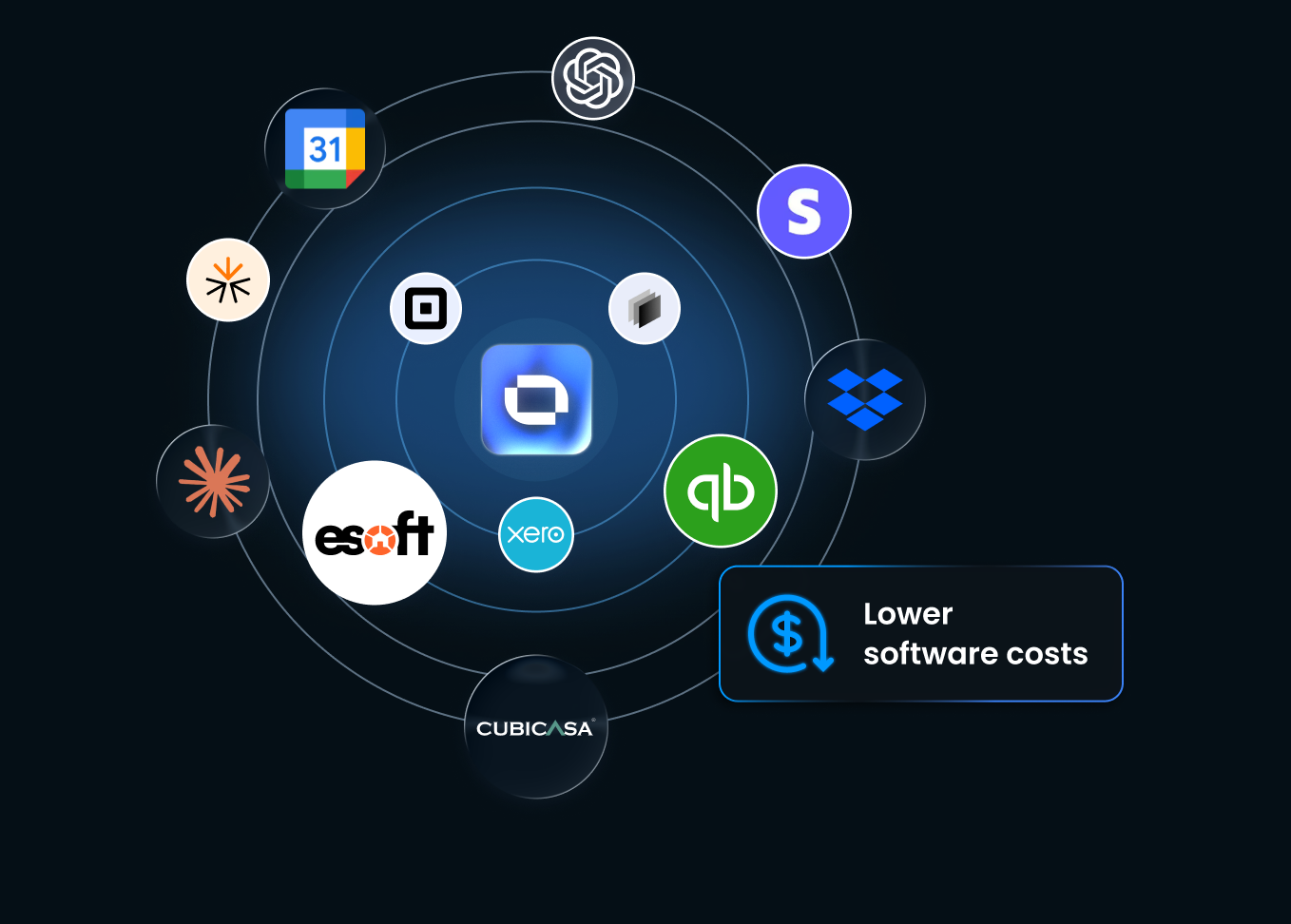
Your Dropbox, Google Calendar, QuickBooks and editors stay. What goes is what you bought to connect them: Monday, Slack, the sheet, the Zapier chain.
From booking to delivery, without you in the middle
01
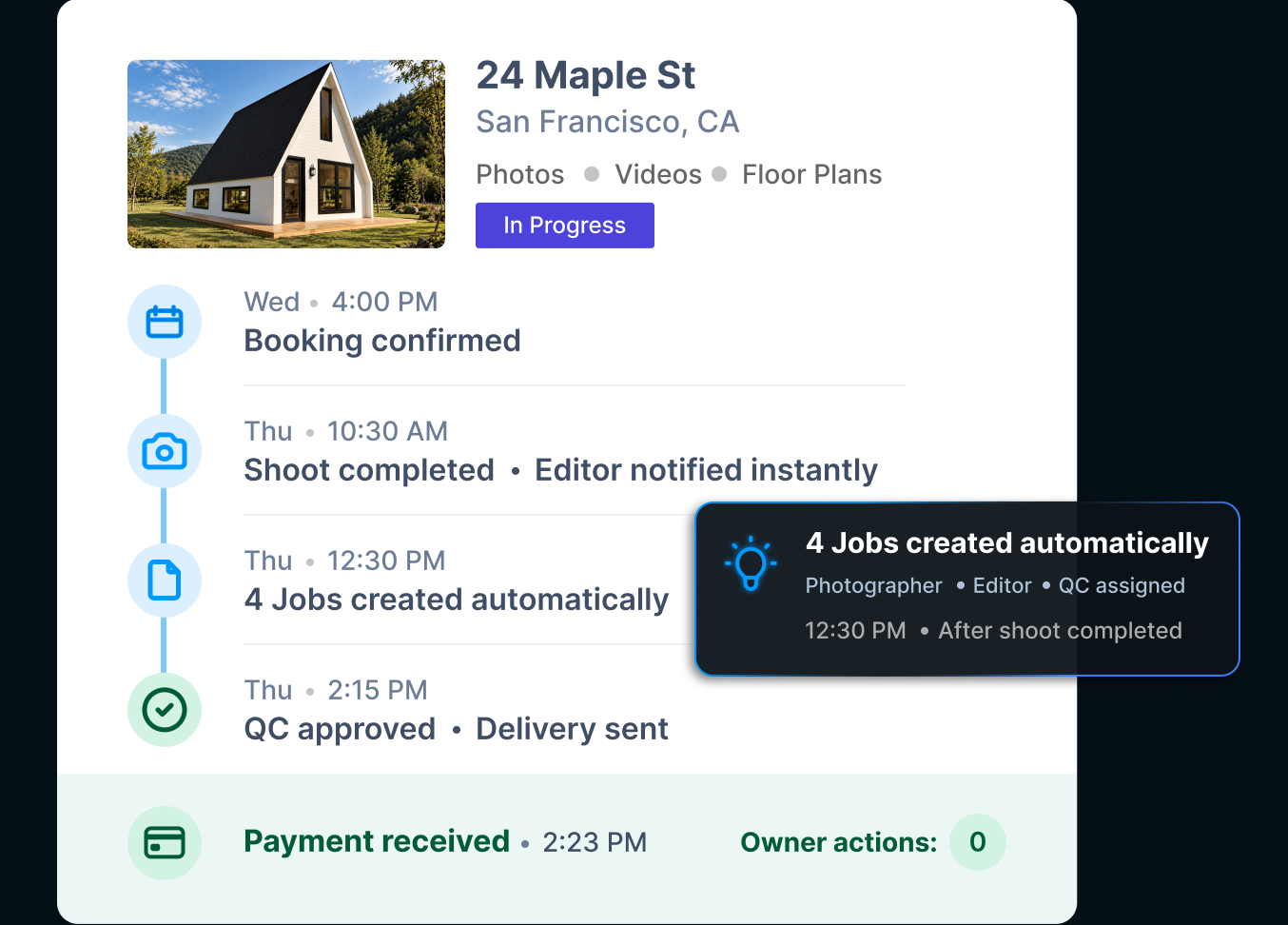
The agent books
Photos, video, floor plan. Thursday, 10am.
02
Tonomo creates the jobs
Photographer, editor and QC assigned, with a separate due date for each service.
03
Your team works in the job
Shoot marked complete from the phone. Editor notified. QC checks it off.
04
The listing goes out
One delivery link. Payment on it.
Order & job management
Your booking platform gives you a list.
Tonomo gives you a board.
Orders are what the client booked. Jobs are the work on each service. Both arranged the way your team works.
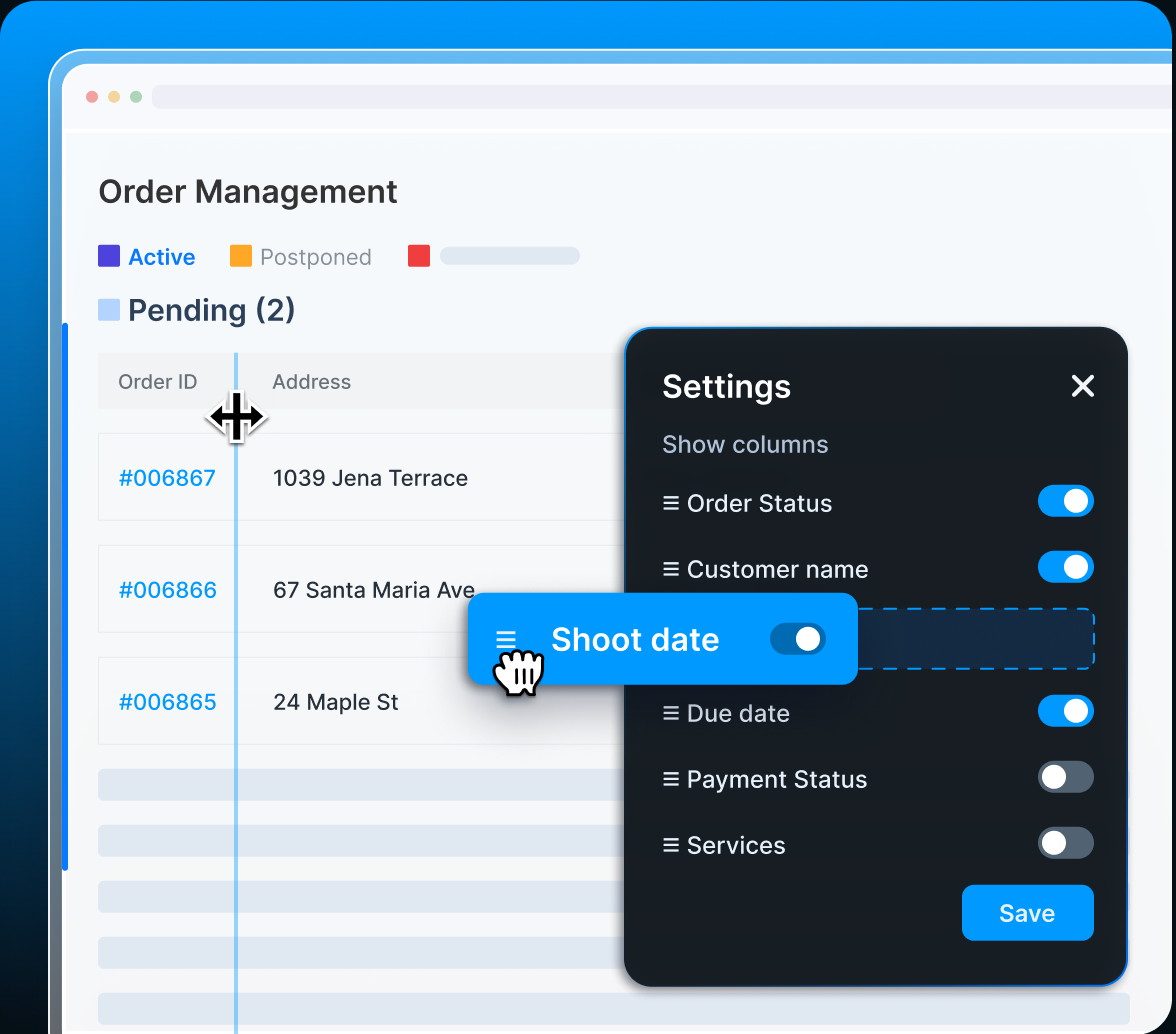
Build your own board.
Pick the columns, set their order and width. Everyone’s layout is saved.
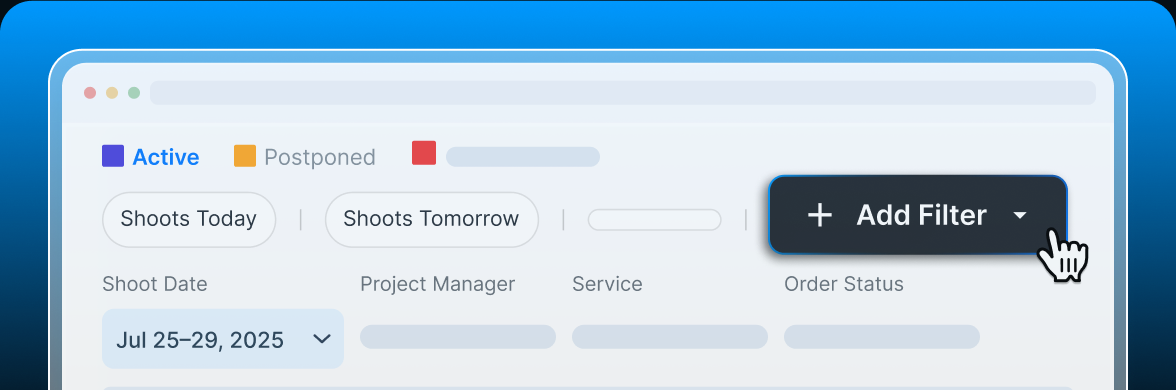
Find any job in a click.
Shoots today, this week, unpaid, new customers, or any date range.
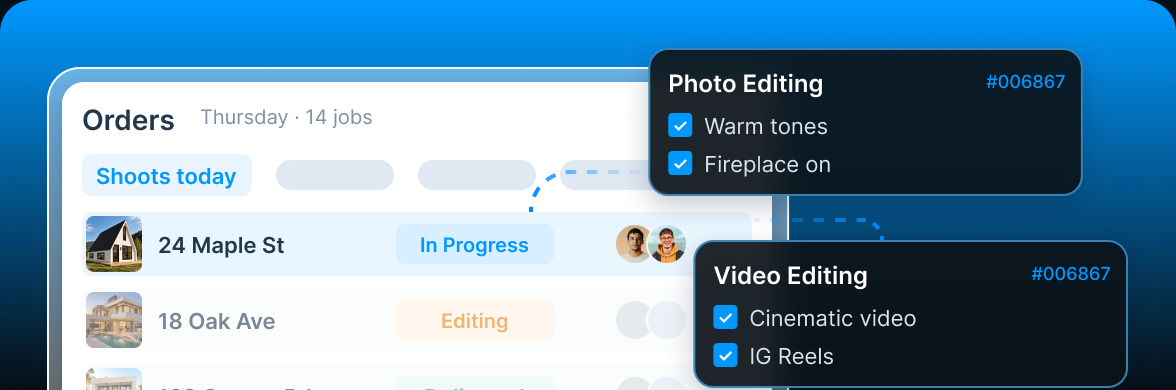
A second board for editing.
Created from the first, so the editing queue builds itself.
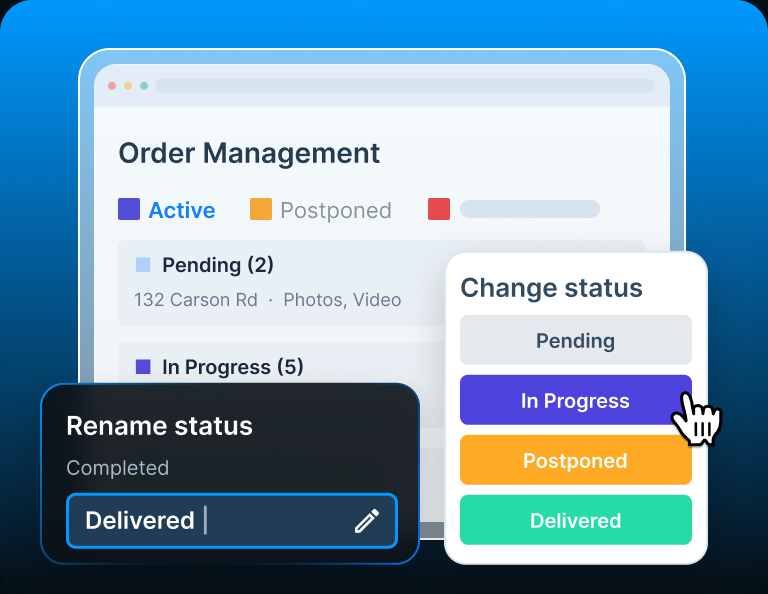
Stages you name.
Your own status labels, for every service on an order, not just the order.
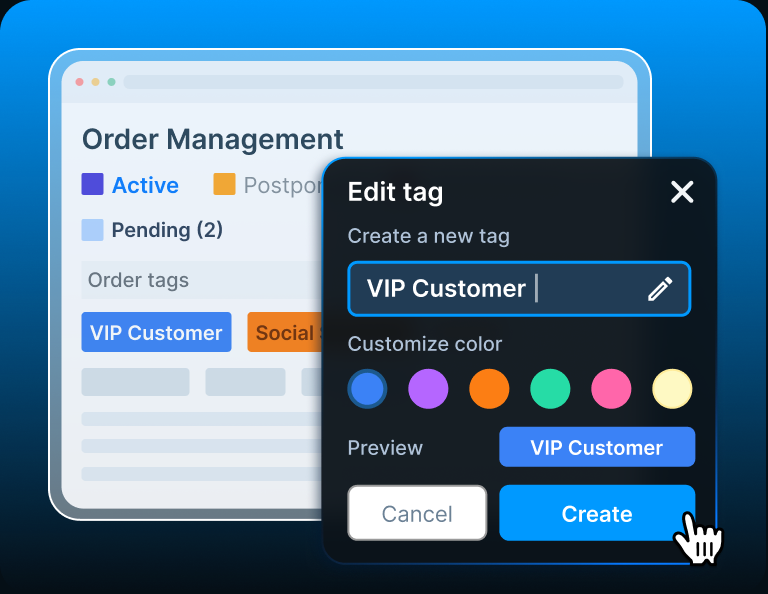
See it how you think.
Group jobs by month, tag them and color-code them.
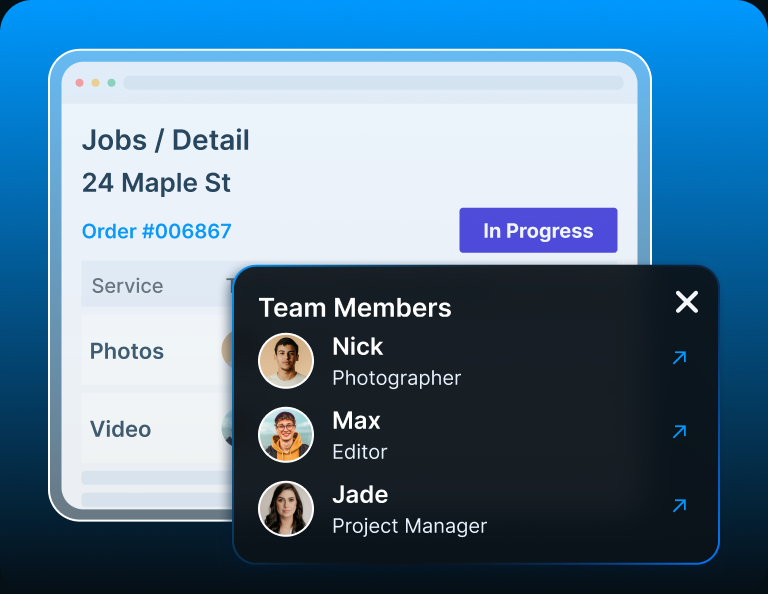
Everyone on the order.
Photographer, editor and project managers, each with a contact card.
FAQ
Questions teams ask before they switch
I'm about to make my first hire. Should I set up Tonomo first?
Yes. Your first hire learns the job from Tonomo instead of from you. We set it up on your own orders.
Do I have to give up Dropbox, Google Calendar or QuickBooks?
No. Tonomo connects to all three, plus Xero and Square. Your files, calendar and books stay where they are.
Can contractors see what other contractors earn?
No. Contractors get limited access: their orders and the chat, not your reporting or payouts.
Do my editors need their own login?
Yes. Editors are team members with their own login, so they see their jobs, files and instructions and you see their progress.
How long does it take to move to Tonomo?
Most teams are live within the week. We set it up with you on your own orders.
Can I customize statuses beyond In Progress and Completed?
Yes. Rename order, payment and service statuses to match how your team talks. Editing jobs add a Reviewing step between In Progress and Completed.
Can photos and video on the same order run on different timelines?
Yes. Each service gets its own job, editor and due date, so photos can be finished while the video is still in editing.
Can I see which jobs are due today?
Yes. Filter jobs by due date, or open the dashboard for what's due today, due tomorrow and overdue.
Can I set different payouts for each photographer?
Payouts are set per service and package, by tier, with a separate editor payout. You choose how much of the travel fee is passed on.
Can editing jobs be auto-assigned to my editing lead?
Yes. Set a default editor and reviewer per job type once. Every matching order is assigned to them automatically.
How do I track what to pay each photographer or editor?
Run the contractor payout report for the month, grouped by photographer. Export to Excel.
Does Tonomo work with Esoft?
Yes. Pick which services go to Esoft. Tonomo prepares the Esoft order when a client books, and the finished images sync back ready to deliver.
Get it out of your head. Put it on the board.
Every job, who has it and where it's at, without a single text. See how Tonomo can streamline your specific workflow.
Book A Demo
Free demo. Most teams are live within the week.